 CapMark
Screenshots and markup for Mac
One screenshot says it all.
Press a shortcut, drag over what matters, mark it up, and paste it anywhere. Read and translate the text in it too.
Free to download, no account needed · Lives in your menu bar
Annotation
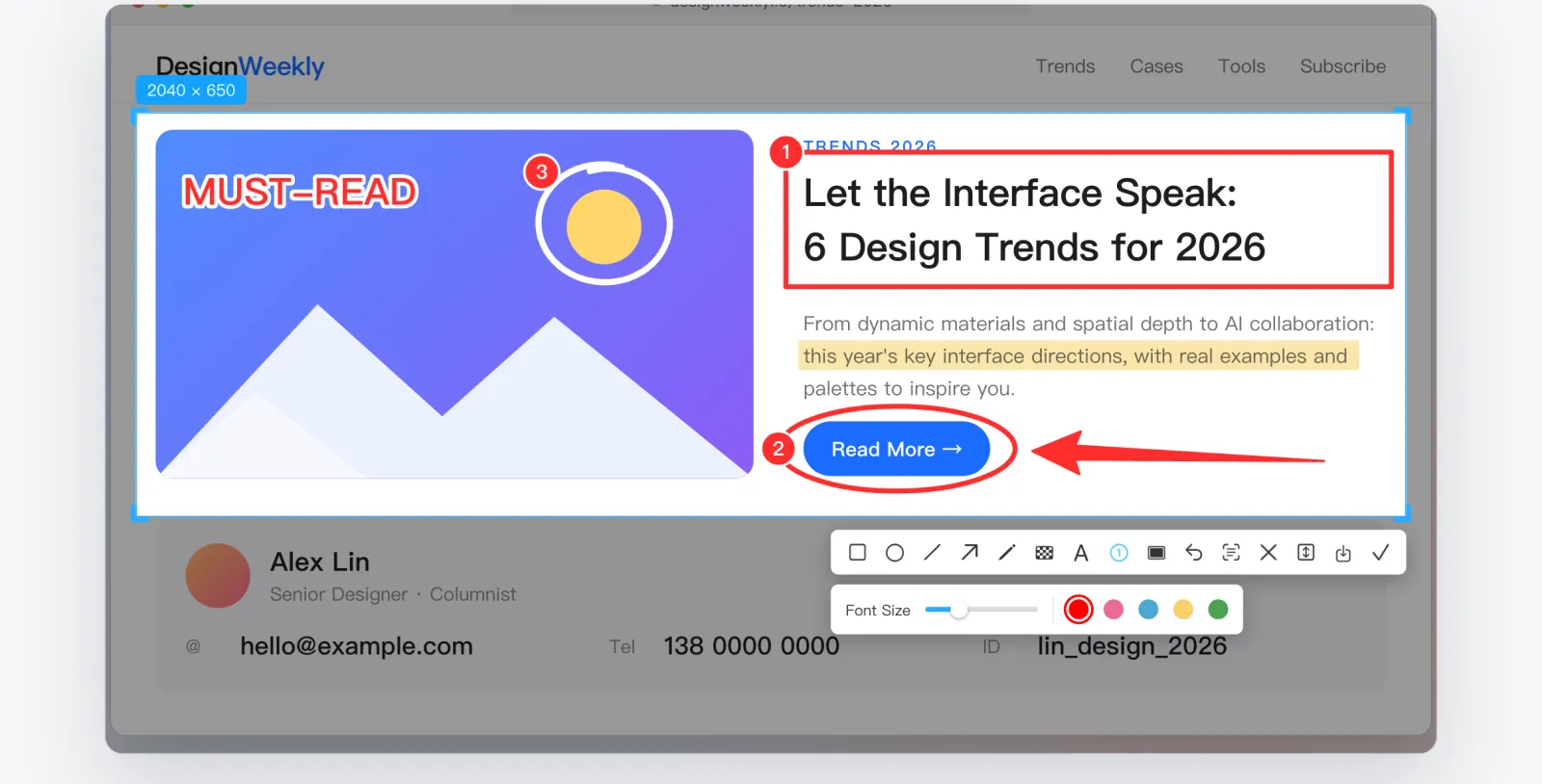
10 annotation tools. Make the point at a glance.
Rectangles, ellipses, arrows, pencil, marker, text and numbered steps are all at hand, and you can adjust them after you draw.
- Rectangle
- Ellipse
- Arrow
- Pencil
- Highlight
- Text
- Steps
- Line · Marker · Mosaic
Precise Capture
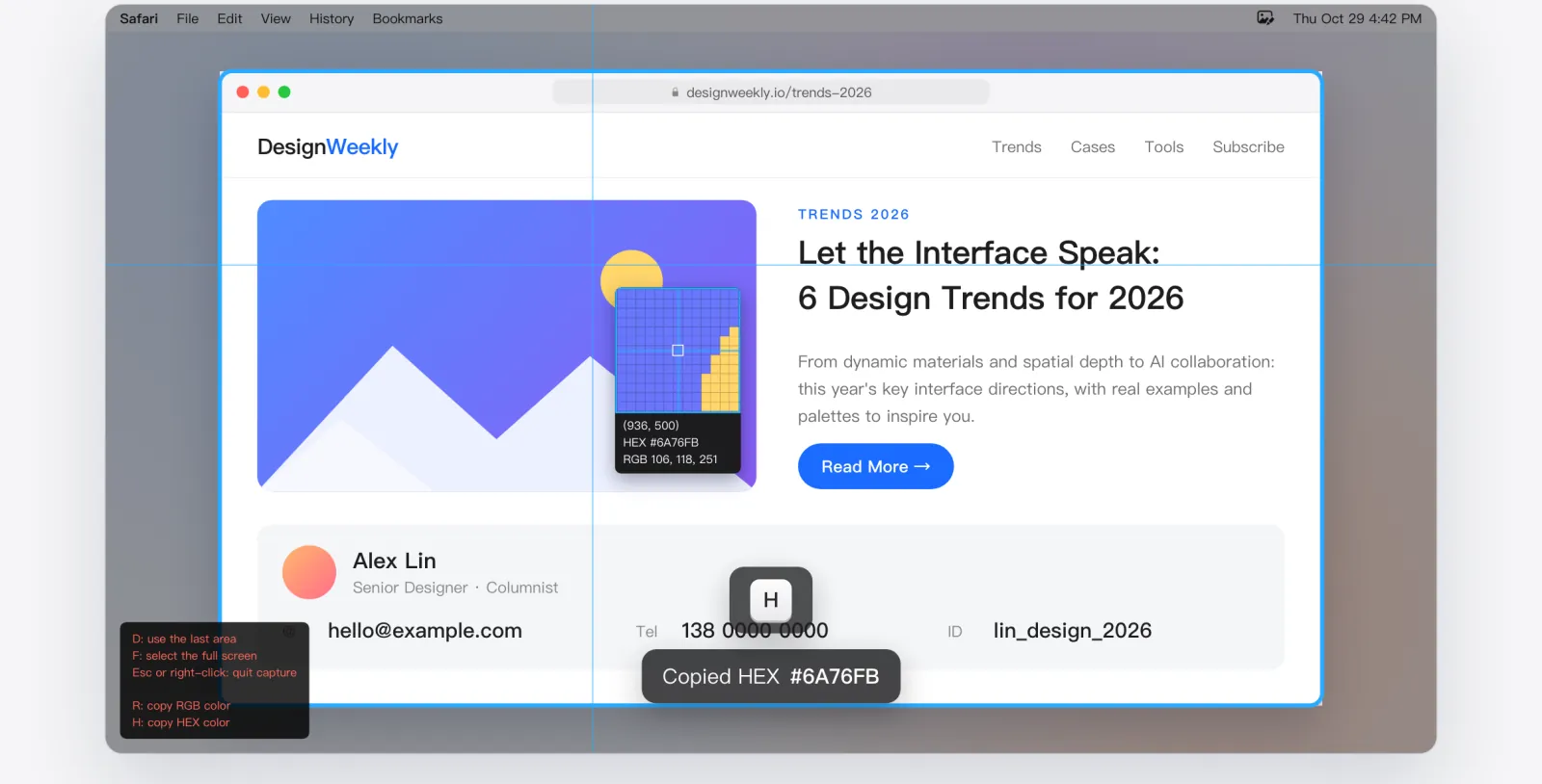
One shortcut. Any area of your screen.
Snap to windows, line up edges with the pixel magnifier, and pick colors as you go.
- Window Detection
- Pixel Magnifier
- Color Picker
- Delay / Last Area / Preset Size
Privacy
Hide sensitive details in one stroke.
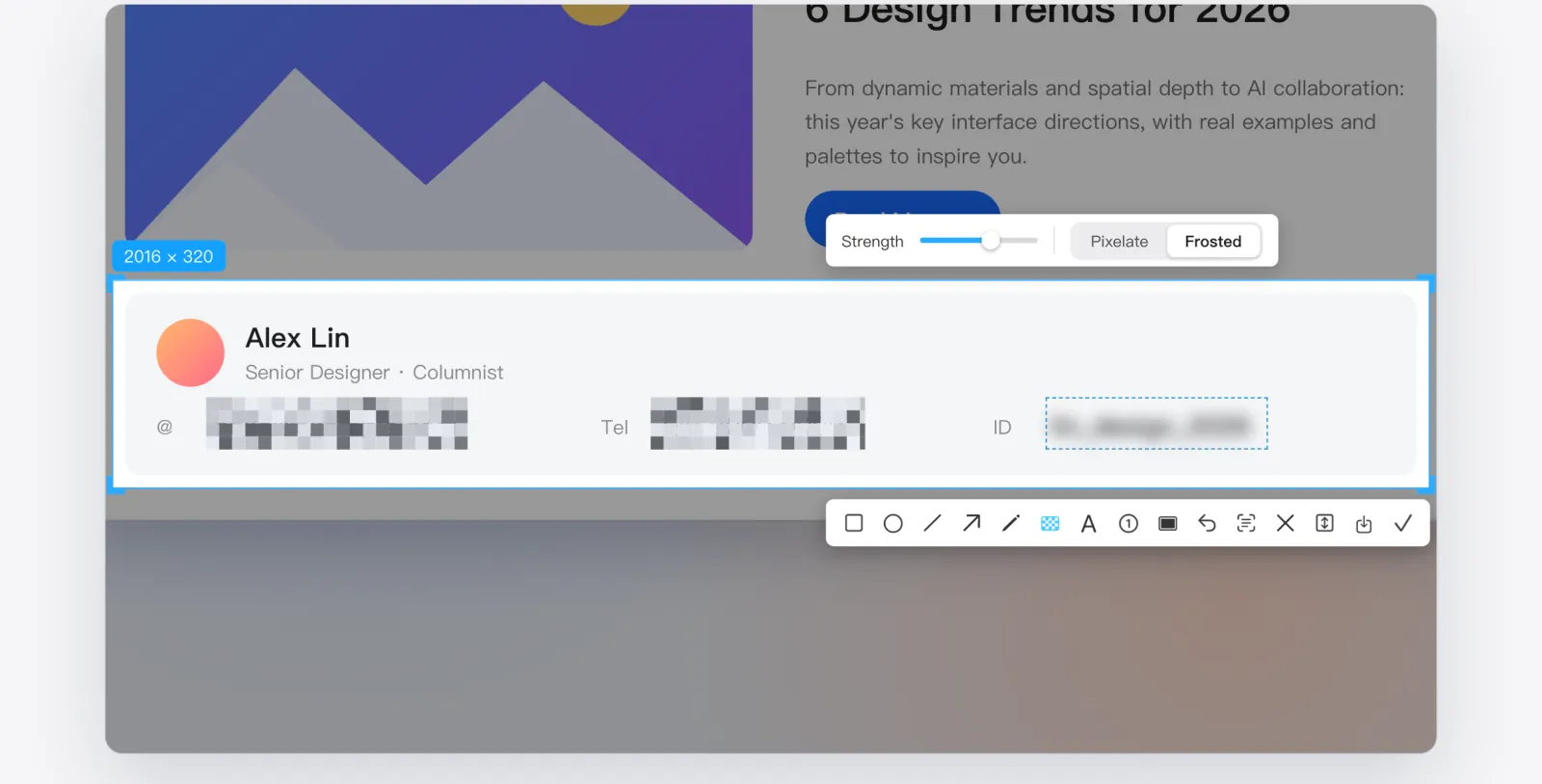
Cover emails, phone numbers and names with mosaic or blur before you share.
- Pixel Mosaic
- Frosted Blur
- Adjustable Strength
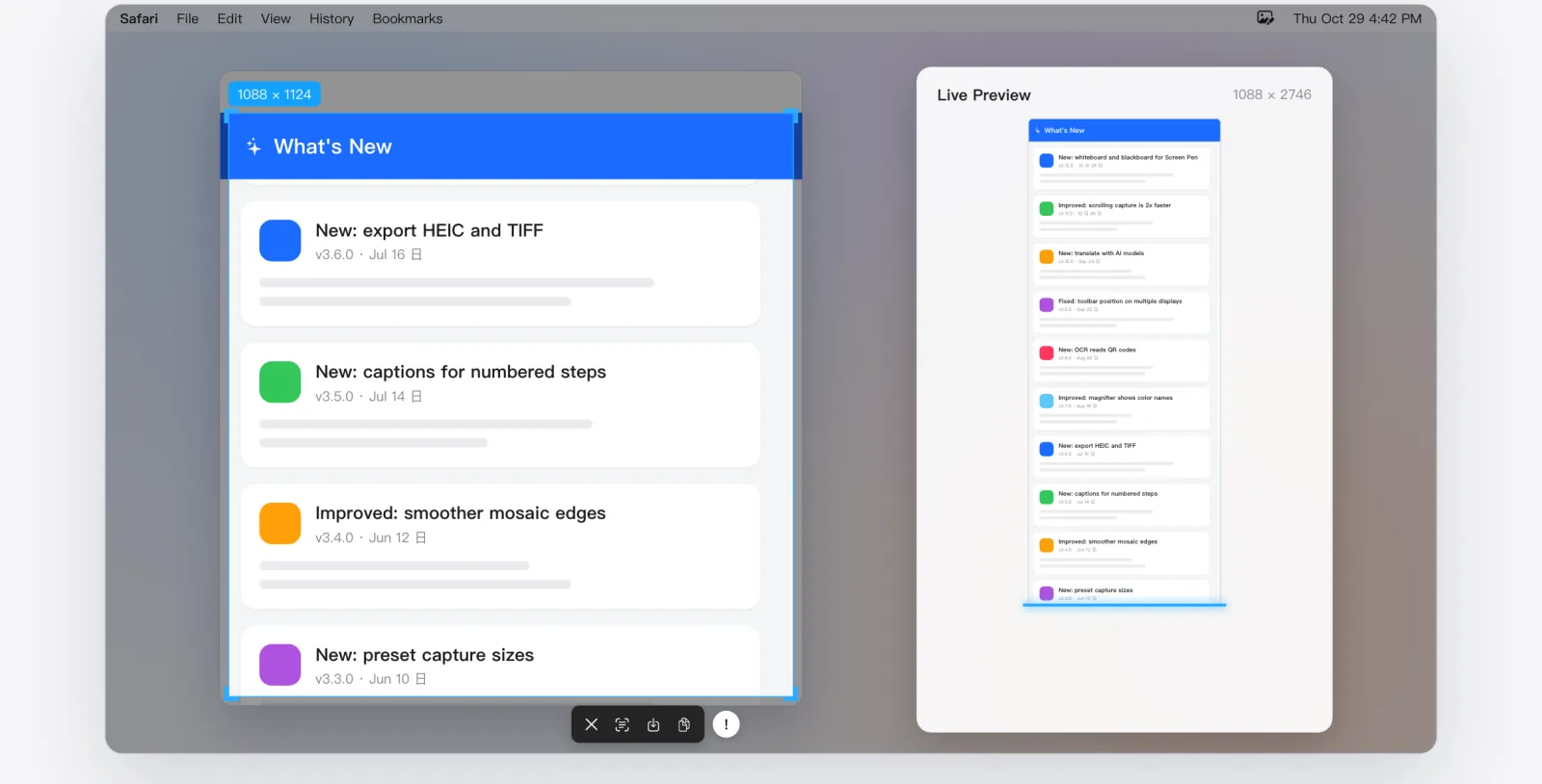
Scrolling Capture · Pro
The whole page in one image.
Select an area and scroll down. CapMark stitches as you go and keeps fixed headers from repeating.
- Stitches as You Scroll
- Removes Repeated Headers
- Catches the Last Frame
- Live Preview
Requires CapMark Pro
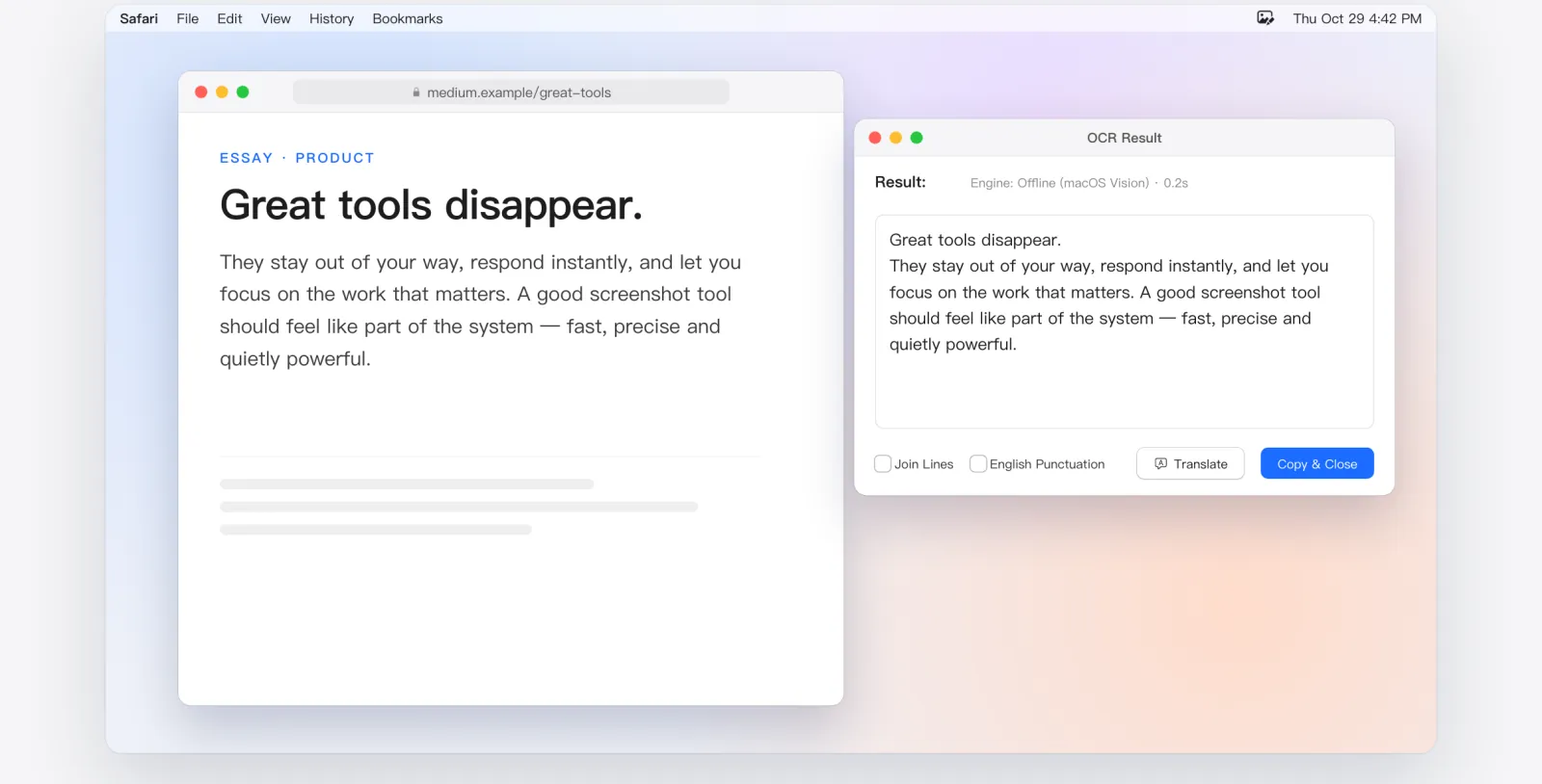
Text Recognition (OCR)
Get the text out of any image.
macOS recognizes the text right on your Mac, so your screenshots stay on your device. It reads QR codes too.
- Offline on Your Mac
- QR Codes First
- ⌃O Anytime
- Join Lines · English Punctuation
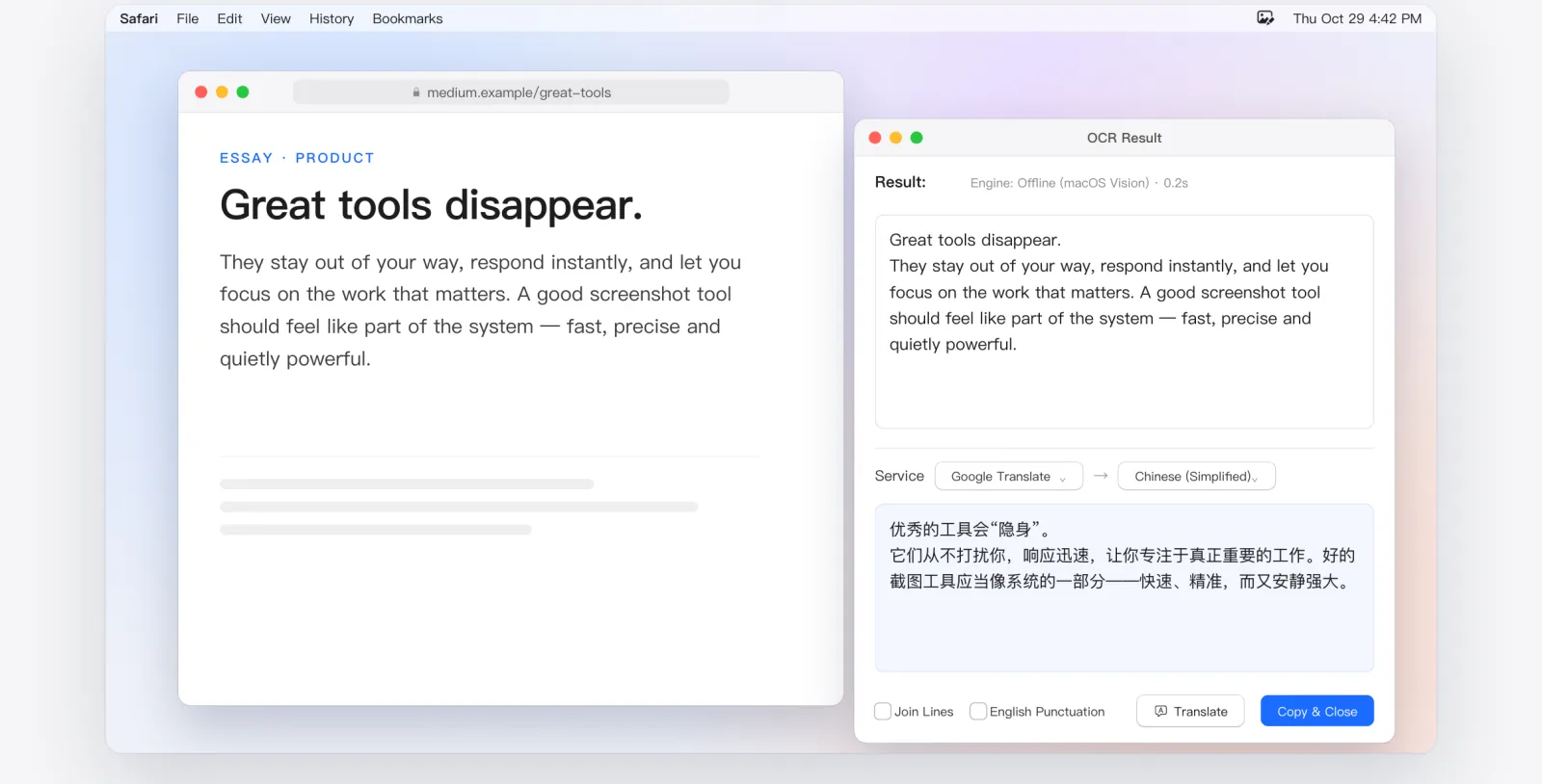
Screenshot Translation
Can't read it? Capture and translate.
Translate recognized text right away, or press ⌃T to do it all in one step. The free version includes 20 translations a day.
- 20 Free per Day
- All Services with Pro
- ⌃T to Translate
- Copy Translation
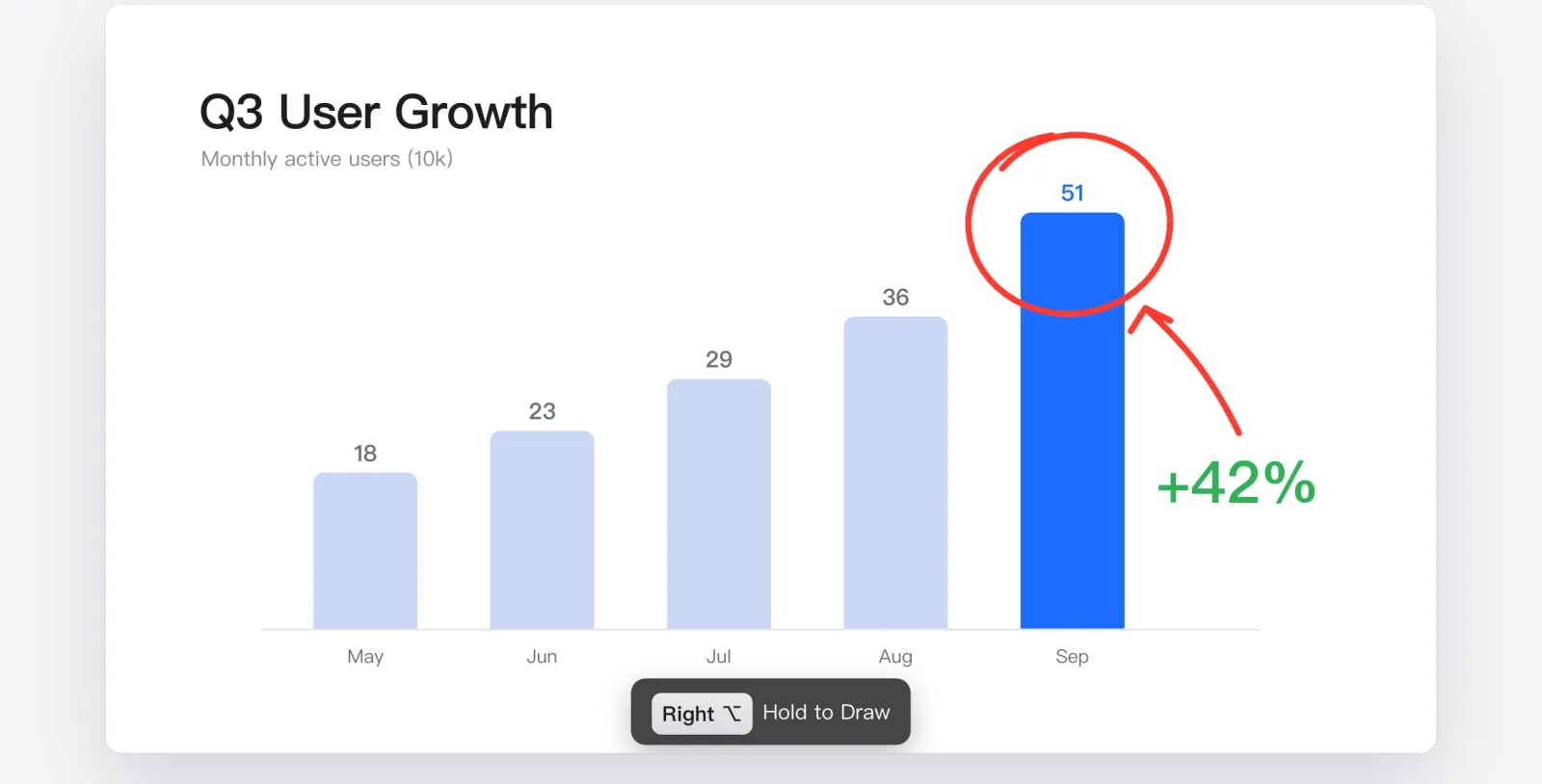
Screen Pen · Pro
Draw on your screen as you present.
Hold a key to draw while you teach, present or stream, then let go and keep working. Whiteboard and blackboard included.
- Hold Right ⌥ to Draw
- Fades on Release
- 7 Pen Tools
- Whiteboard / Blackboard
Requires CapMark Pro
Export
Beautiful screenshots, ready to send.
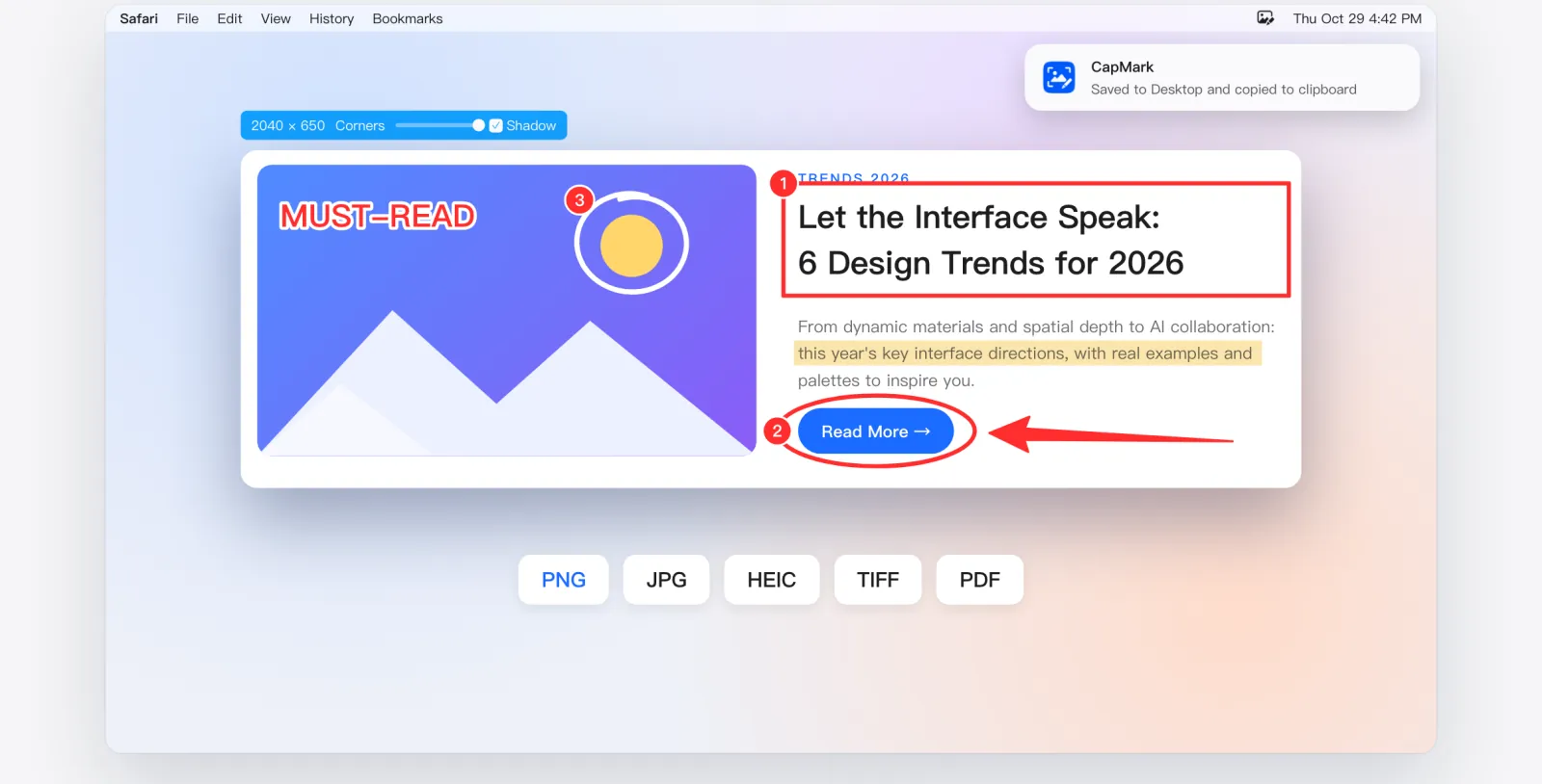
Add rounded corners and a shadow, copy to the clipboard, or save in the format you need.
- Corners & Shadow
- PNG · JPG · HEIC · TIFF · PDF
- Save & Copy
Shortcuts
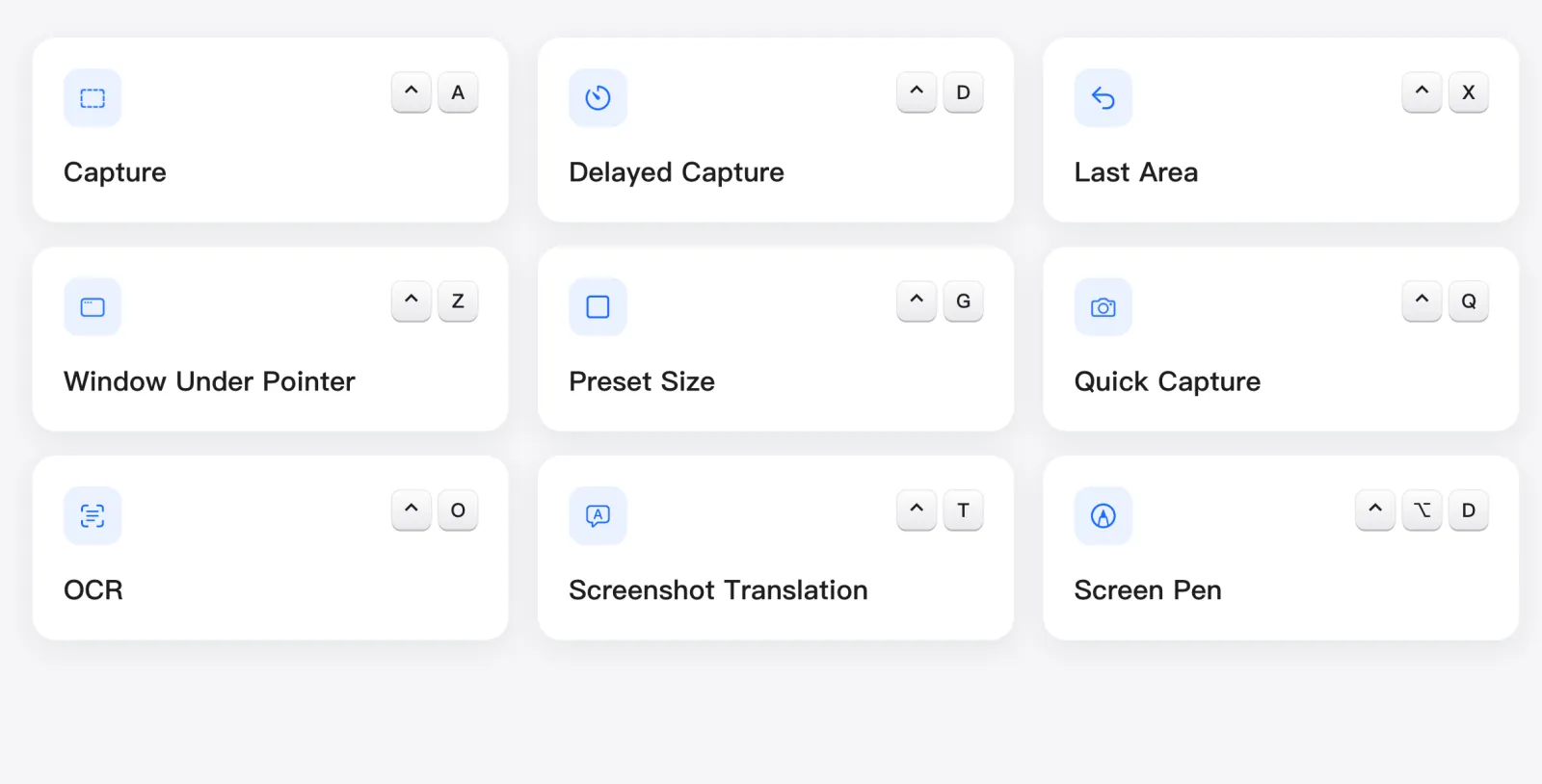
Every action, one keystroke away.
All 9 global shortcuts can be customized, and CapMark warns you about conflicts.
- 9 Global Shortcuts
- All Customizable
- Conflict Warnings
Pricing
The essentials are free.
Free
$0
- Capture, 10 annotation tools, color picker
- Mosaic and blur
- Offline OCR and QR codes
- 20 translations a day
CapMark Pro
$7.99
- Scrolling capture
- Screen Pen
- Every translation service
- Your own API keys
One purchase, no subscription, unlocked through the App Store. Prices vary by region; the App Store shows yours.
Download
Choose your platform
CapMark for Mac
Requires macOS 14 or later. Runs on Apple silicon and Intel.
Go to the Mac App StoreCapMark for Windows
The Windows version is in development.
Download for WindowsFAQ
Questions you might have
Is CapMark free?
It's free to download. Capture, annotation, the color picker and OCR are ready to use, with 20 translations a day. Scrolling capture, Screen Pen and every translation service are unlocked with CapMark Pro, a single in-app purchase with no subscription.
Do I need an account?
No. CapMark has no account system. Open it and start capturing.
Are my screenshots uploaded?
No. Screenshots and annotations stay on your Mac, and OCR runs on your Mac with macOS. Recognized text is sent to the translation service you choose only when you translate, and CapMark asks for your consent before you first use each service.
Can it capture long pages?
Yes. Scrolling capture in CapMark Pro stitches the page as you scroll down and shows a live preview.
Which systems are supported?
The Mac version requires macOS 14 or later and runs on Apple silicon and Intel. The Windows version is in development.
What permissions does it need?
Capturing needs Screen Recording. Hold-to-draw in Screen Pen needs Input Monitoring; CapMark checks modifier keys only and doesn't record what you type.
Which languages are available?
English, Simplified and Traditional Chinese, Japanese, Korean, German, French, Spanish, Brazilian Portuguese, Russian and Italian.